
Venmo
You can use Venmo when buying a ticket or item from URC. You will need…
1. Make sure the browser you are using is set as an “authorized browser” in Venmo.
In Venmo settings go to “Connect Browsers”
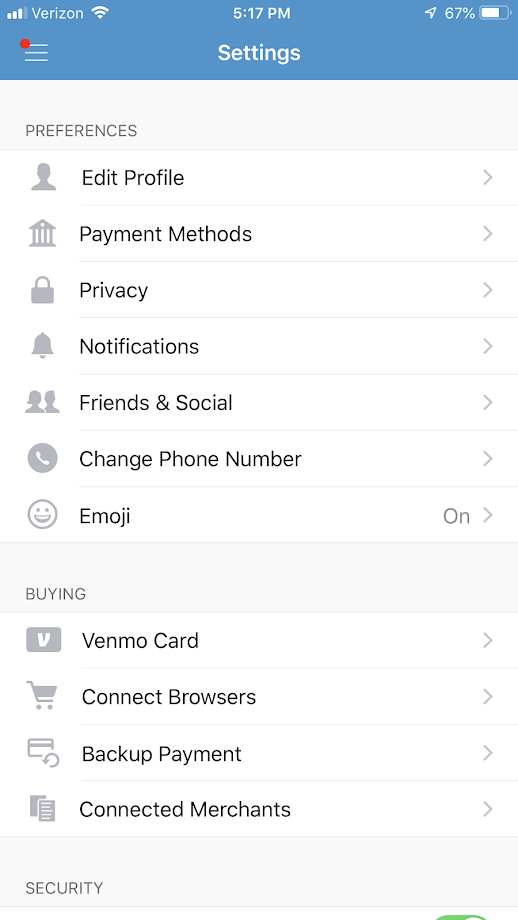

2. Checkout using that authorized browser. (for some it only lets authorize Safari on iPhone, and not Chrome)
3. This is what it will look like on the Cart page, notice the Venmo button at the bottom:

Note: PayPal owns Venmo and with this checkout you may see PayPal mentioned and their branding. However, this will use your Venmo account.